How to Check if Your Phone Supports Qi Charging: A Step-by-Step Guide
Published
October 14, 2024
How to Check if Your Phone Supports Qi Charging: A Step-by-Step Guide
Qi wireless charging technology has changed the way we charge our devices. With a Qi wireless charger, there’s no need for cables, making it more convenient and mess-free. Major smartphone brands like Apple and Samsung have embraced this technology, which shows its growing popularity.
It’s important to know if your phone works with Qi chargers. This knowledge allows you to fully enjoy the benefits of wireless charging, including easy usage and less strain on charging ports.
Key takeaway: In this article, we’ll show you how to check if your phone supports Qi charging with a simple step-by-step guide.
Popular Qi-Compatible Devices
Finding reliable information about whether your phone supports Qi charging often starts with the manufacturer’s website. Here’s how you can navigate this process effectively:
- Visit the Manufacturer’s Website
- Go to the official website of your phone’s manufacturer.
- Navigate to the Support or Product Information section.
- Search for Your Phone Model
- Enter your phone model in the search bar.
- Look for the product page or user manual, which often lists detailed specifications.
- Identify Key Terms
- Check for terms like “Qi wireless charging” or “wireless charging compatible” in the specifications list.
- These terms indicate that your phone is capable of using Qi wireless chargers.
- Android Specifications
- For Android users, you might find additional details under sections like Battery, Connectivity, or Charging.
- Look out for phrases such as “Wireless Charging: Yes” or similar indicators.
Popular smartphone manufacturers like Apple, Samsung, and Google usually provide comprehensive information on their websites. For instance, Apple’s support pages detail which iPhone models support Qi charging, while Samsung specifies wireless charging compatibility under device features.
Engaging directly with the manufacturer’s resources ensures you get accurate and up-to-date information about your device’s capabilities.
you to charge without plugging in a cable. Identifying the Qi logo is a quick and straightforward method to verify compatibility before diving into more detailed checks.
Step 2: Check Manufacturer Information
Several popular phone models are known to feature the Qi logo in the product packaging, indicating their compatibility with a Qi wireless charger:
- Apple iPhones: Models from iPhone 8 and newer, including iPhone X, XS, 11. and iPhone 12 series and newer feature MagSafe charging system which Kew Labs wireless charging is compatible with.
- Samsung Galaxy Series: Starting from Galaxy S6 and newer models like S10, S20, and Note series.
- Google Pixel: Models like Pixel 3, Pixel 4, and Pixel 5 support Qi charging.
- LG Phones: Models such as LG G6+, LG V30+, and newer.
These phones are designed to seamlessly integrate with Qi chargers, making it convenient for you to charge without plugging in a cable. Identifying the Qi logo is a quick and straightforward method to verify compatibility before diving into more detailed checks.
Step 3: Explore the Settings Menu
To check for a wireless charging indicator in your phone’s settings menu, follow these steps:
- Open the Settings app on your phone.
- Navigate to the Battery section. This can sometimes be found under Device Maintenance or Device Care depending on your phone model.
- Look for options related to Wireless Charging or Charging Settings.
Many modern smartphones include this feature, making it easy to determine if your device supports Qi charging.
Models Typically Featuring Wireless Charging Indicators
- Samsung Galaxy Series: Most models from the Galaxy S6 onwards come with wireless charging capability.
- Apple iPhones: Starting from iPhone 8 and newer models support wireless charging.
- Google Pixel: Pixel 3 and later models are equipped with this feature.
- LG Phones: Models like LG G6 and later also support Qi wireless charging.
If you find an option related to wireless charging within your settings, it is a strong indicator that your phone supports Qi technology. For example, enabling options like Fast Wireless Charging or Wireless PowerShare often confirms compatibility. This method is particularly helpful if you’re unsure about the branding or specifics of your device’s charging capabilities.
Step 4: Test with a Wireless Charging Pad
To test your phone’s Qi compatibility using a charging pad, follow these steps:
- Connect the Qi Wireless Charger: Plug the charging pad into a power source using the appropriate cable and adapter.
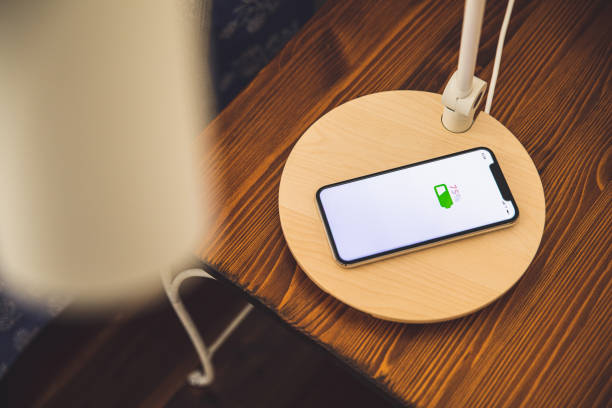
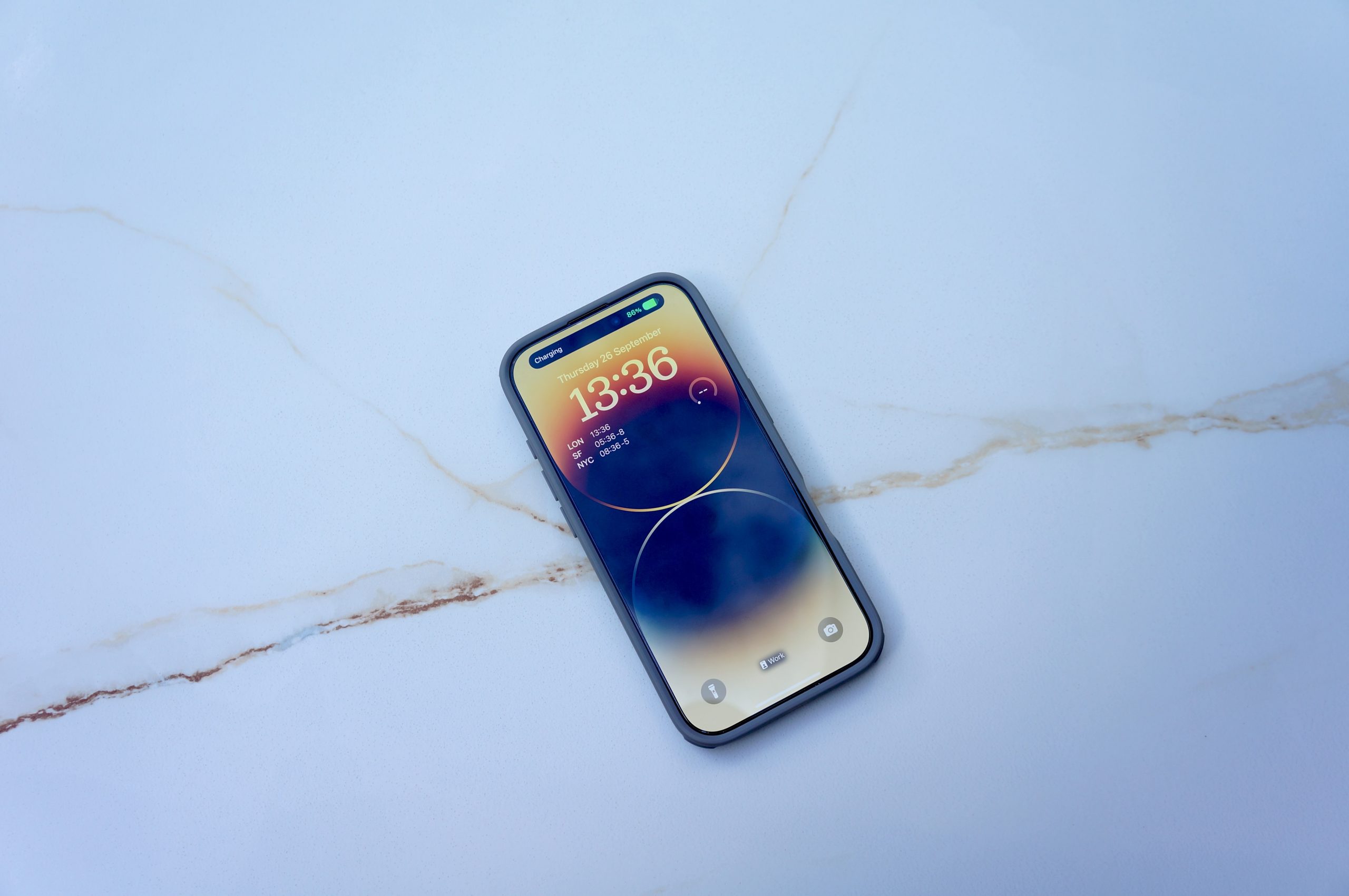
- Position Your Phone: Place your phone directly on the center of the charging pad. Ensure there are no obstructions, such as thick cases or metallic objects, between the phone and the charger.
- Check for Indicators: Look for visual or auditory indicators that your phone is charging:
○ Visual Indicators: Many phones display a charging icon or animation on the screen when successfully charging wirelessly.
○ Auditory Indicators: Some phones emit a sound or vibration when placed on a functioning wireless charger.
Signs that indicate successful wireless charging include:
- Battery Icon Change: The battery icon on your screen may change to include a lightning bolt or other symbol indicating wireless charging.
- Charging Animation: Many phones show an animation that confirms they are receiving power from the Qi charger.
- Charging Light on Pad: Some charging pads have an LED light that turns on when they detect a compatible device.
When testing, ensure your phone is properly aligned with the pad’s center for optimal connection. If you’re not seeing any signs of successful charging, try repositioning your device or checking if your case is too thick.
By following these steps, you can quickly determine if your phone supports Qi wireless charging using a pad.
Step 5: Consider Phone Cases and Accessories
Wireless charging efficiency can be significantly affected by the phone case you use. Thick cases or those made from materials like metal can interfere with the Qi charging process. This interference can lead to slower charging speeds or even prevent your phone from charging wirelessly altogether.
Impact of Phone Cases on Wireless Charging
- Material Matters: Metal cases often block the electromagnetic field required for Qi charging. Opt for cases made from silicone, plastic, or other non-metallic materials. DO NOT opt for cases with metal plates, magnets, pop sockets and other items that increase the thickness or block the coils from connecting.
- Case Thickness: Thicker cases may create a gap between the phone and the wireless charger, disrupting the efficient transfer of power. Aim for a case that is less than 3mm thick to ensure optimal performance.
Recommendations for Qi-Compatible Cases
When shopping for phone cases, look for labels such as “Qi-compatible” or “wireless charging compatible”. Brands like OtterBox and Spigen offer a range of cases designed to work seamlessly with wireless chargers.
Examples of Qi-Compatible Cases:
- OtterBox Symmetry Series: Known for its slim profile and durable protection.
- Spigen Tough Armor: Offers robust protection while maintaining compatibility with Qi chargers.
- Apple’s Silicone Case: Specifically designed for iPhones and supports wireless charging without any issues.
Using a Qi-compatible case ensures that you can enjoy the convenience of wireless charging without compromising on protection.
Step 6: Contact Customer Support for Confirmation
Reaching out to customer support can be an effective way to verify compatibility if you are still unsure whether your phone supports Qi charging. Here’s how you can approach this:
- Locate Contact Information
Visit the manufacturer’s official website to find contact details for their customer support. This usually includes options like phone numbers, email addresses, or live chat services.
- Prepare Necessary Information
- Model Number and Name: Ensure you have your phone’s model number and name ready. This information can usually be found in your phone’s settings menu under “About Phone” or on the original packaging.
- Software Version: Knowing your phone’s current software version can also help customer support provide accurate assistance. You can find this in the settings menu.
- Specific Query: Clearly state your query by asking something like, “How do I know if my phone supports Qi charging?“
- Key Questions to Ask
- Is my specific model compatible with Qi wireless charging?
- Are there any firmware updates required for Qi compatibility?
- Can you provide a list of officially supported Qi chargers?
- Document the Response
Note down any information provided by customer support for future reference. Keeping a record ensures you have accurate details if needed later.
Example Email Template:
plaintext Subject: Inquiry About Qi Wireless Charging Compatibility
Dear [Manufacturer’s Name] Support Team,
I own a [Phone Model and Name] with software version [Version Number]. Could you please confirm whether my device supports Qi wireless charging? If so, are there specific chargers or firmware updates recommended?
Thank you for your assistance.
Best regards, [Your Name]
This structured approach ensures that you receive precise and helpful information, confirming whether your phone supports Qi charging.
Exploring Alternative Accessories for Non-Qi Phones
If you have a non-Qi phone, there’s no need to worry. You can still enjoy the convenience of wireless charging through various accessories for wireless charging support.
Adapters and Receivers
Adapters and receivers are popular solutions to enable wireless charging on phones that do not natively support it. These accessories typically come in two forms:
- Wireless Charging Adapters: These plug into your phone’s charging port (USB-C for Android or Lightning for iPhone) and stick to the back of your device, allowing it to charge wirelessly.
- Wireless Charging Cases: Special cases that have built-in receivers. When you place your phone in such a case, it becomes Qi-compatible.
Pros and Cons
Using these alternative solutions has its benefits and drawbacks.
Pros:
- Cost-Effective: Generally cheaper than upgrading your phone.
- Easy Installation: Simple plug-and-play functionality.
- Versatility: Can be used with multiple devices, making them a flexible option.
Cons:
- Bulkiness: May add thickness to your device, making it less sleek.
- Efficiency Issues: Some adapters may not be as efficient as native Qi charging, leading to slower charging speeds.
- Compatibility Concerns: Not all adapters fit perfectly with every phone model, leading to potential malfunctions.
These alternatives provide a practical solution for extending the capabilities of older or non-Qi phones.
Advantages of Using USB-C and Power Delivery with Qi Chargers
USB-C cables and Power Delivery (PD) chargers offer significant advantages when used alongside a Qi wireless charger, enhancing your overall charging experience.
Benefits of Using USB-C Cables with Power Delivery Chargers
- Faster Charging Speeds: USB-C cables paired with PD chargers can deliver higher power levels, resulting in quicker charge times for your devices.
- Universal Compatibility: USB-C is becoming the standard for many devices, making it a versatile option for charging various gadgets beyond just smartphones.
- Reversible Connector: The symmetrical design of USB-C connectors means you can plug them in either way, reducing wear and tear on the port.
Enhancing Overall Charging Efficiency
Using USB-C cables with PD chargers in conjunction with Qi chargers can lead to more efficient charging setups:
- Optimized Charging Conditions: While Qi charging provides convenience through wireless technology, using a PD charger ensures that when you do need to plug in, your device charges rapidly.
- Seamless Integration: Many modern Qi-enabled phones also support fast wired charging via USB-C. This dual capability allows you to switch between wireless and wired charging without compromising speed.
- Energy Efficiency: PD chargers are designed to deliver power more efficiently, reducing energy waste and potentially prolonging the lifespan of your device’s battery.
Combining these technologies provides a robust and flexible approach to keeping your devices powered up throughout the day.
Embracing Wireless Technology in Daily Life
Wireless technology extends beyond just determining phone compatibility with a Qi wireless charger. It offers the convenience of a cable-free experience, reducing clutter and simplifying your daily routine.
Key Benefits:
- Portability: Charge your devices anywhere without worrying about finding an outlet.
- Efficiency: Seamlessly charge multiple devices with one charger.
- Safety: Reduce wear and tear on charging ports, prolonging device lifespan.
Imagine a workspace free from tangled cables. Wireless solutions improve not only functionality but also the aesthetics of your environment. With options ranging from wireless earbuds to smart home devices, embracing wireless technology can transform your lifestyle.
As you explore how to determine phone compatibility with Qi charging, consider integrating other wireless technologies to enhance overall efficiency and convenience in your daily endeavors.